
CMS Creating Pages
/ First and Last Name / Tags: New Pages, Creating, Creating Pages, Pages
A page in Omni is a singular web page with a unique URL.
- Go to Content > Pages showing the location where you'd like to add new content.
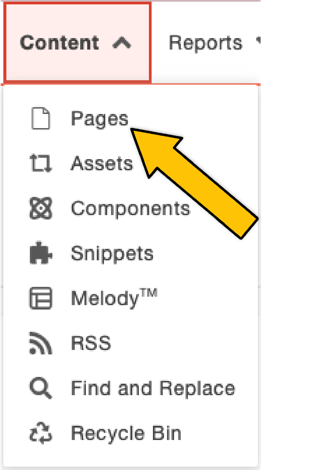 Content dropdown
- Click +New.
 New content button
 - Select an option.
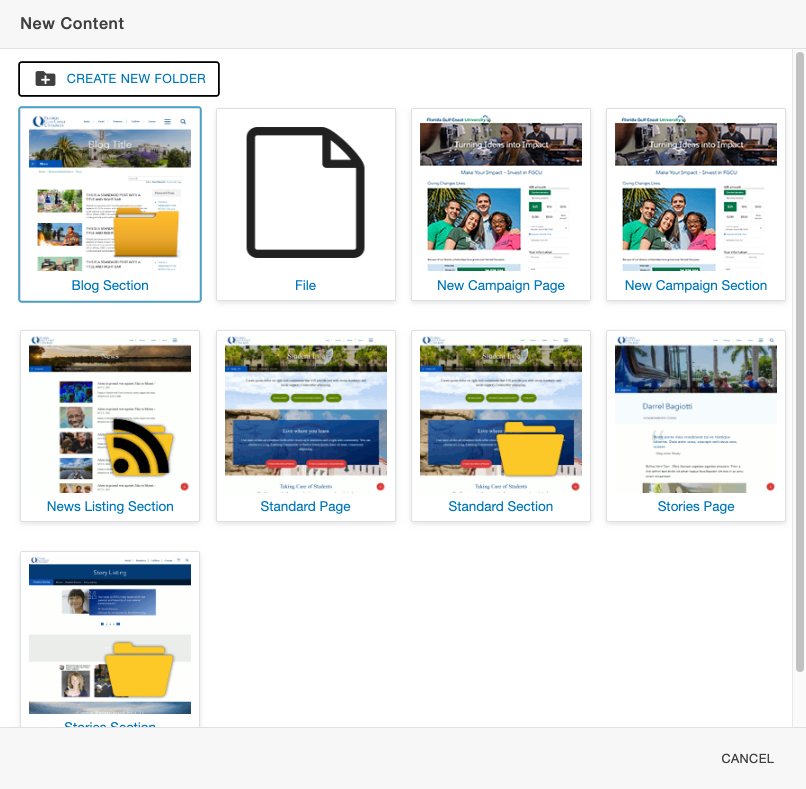 New content options
Omni CMS uses a folder-based file management system to organize your web pages. Like pages, folders can be added, removed, renamed, and have their own .
A folder that contains other pages is referred to as a section. Sections often have additional files to determine properties that set up every page, such as color scheme or section title, and to configure the for that section. These files are commonly labeled _nav.inc and _props.pcf.
Use folders for storing files such as images or PDFs and use sections to contain page content.
Tag Cloud
Share Post