
CMS Snippets
/ Tags: Pages, Snippets, Editing, Sections
The snippet's instructions can be found by double clicking the snippet header.
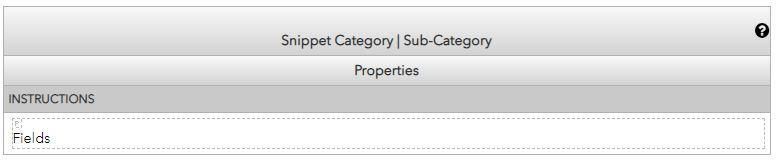 Snippet Example
Header: Displays the name of the snippet; the snippets categories are separated by pipes. Example: Billboard | 2 Column | Blue
Properties: This is the second row on the snippet if it's available. It has a light gray background like the header.
Instructions: The dark gray fields will give you instructions on what to fill-in on the cell underneath it.
View a .
Learn more about from Omni Modern Campus.
Related Posts
Share Post